You cannot view or download this file at this time. This file has been viewed or downloaded too frequently recently.
Please try again later. If the file is very large or accessible to a large number of users, access to it may be restricted for the next 24 hours. If the situation has not changed after 24 hours, please contact your domain administrator.
Step 1. Press Download
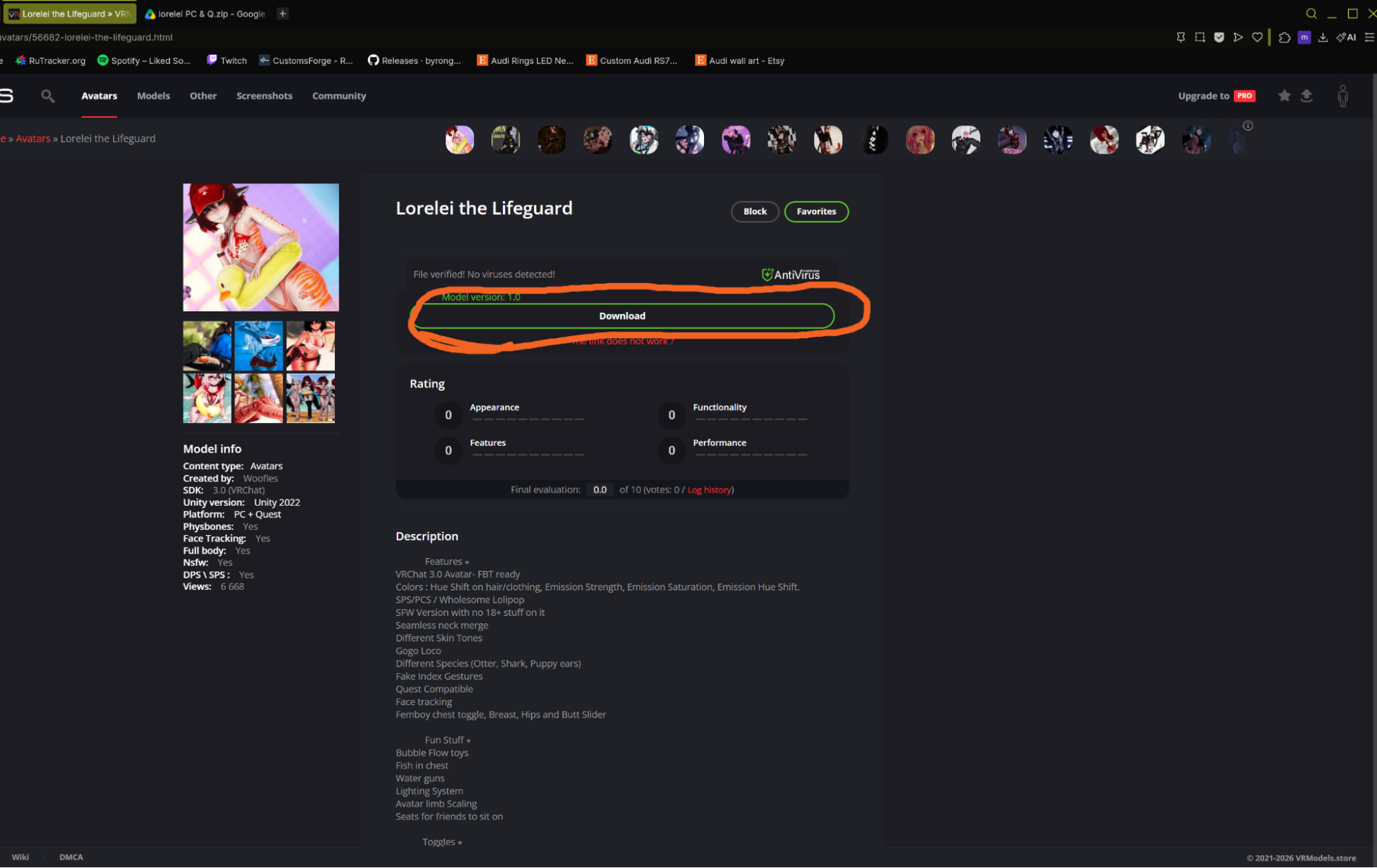
Step 2. Sign into Google.
Step 3. Press folder icon.
Step 4. Hover over My Drive and press the > icon and click the icon.
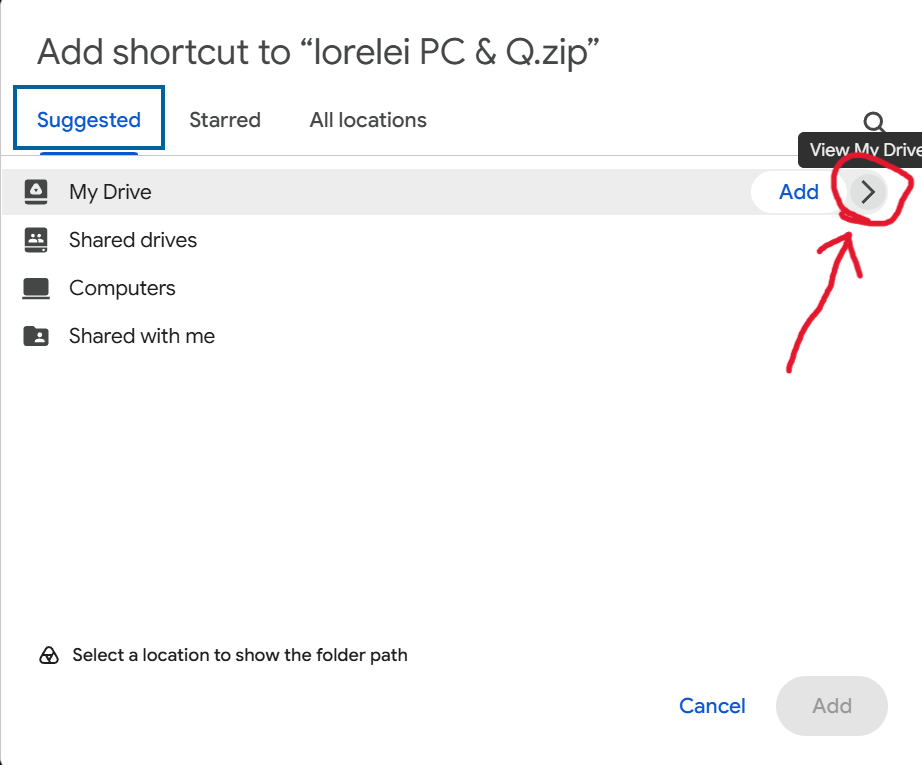
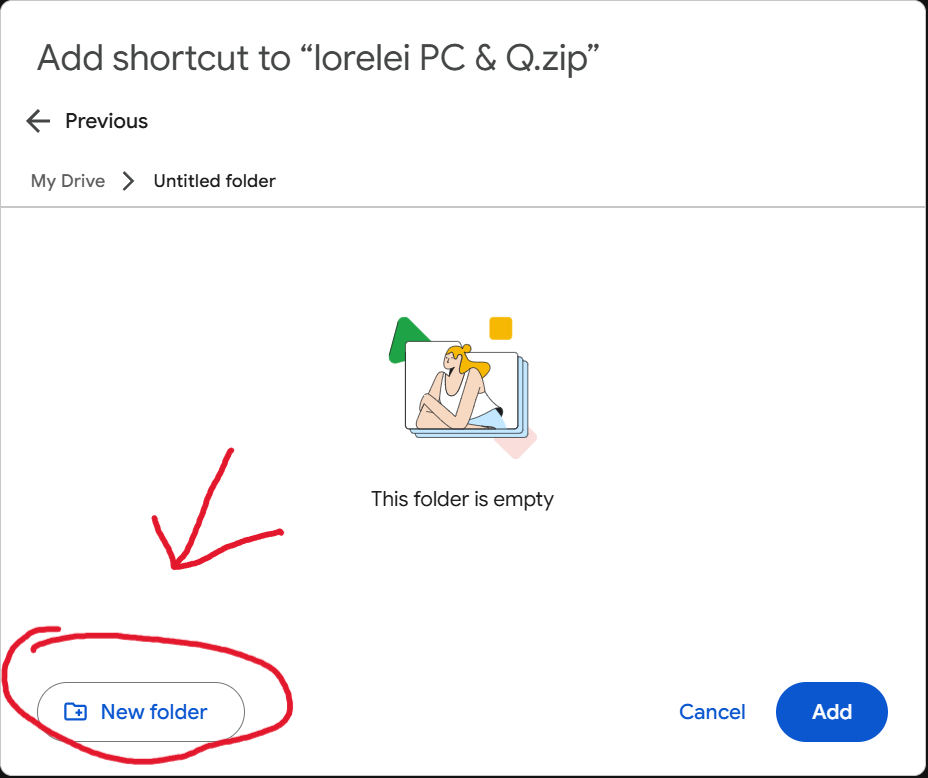
Step 5. Press New Folder
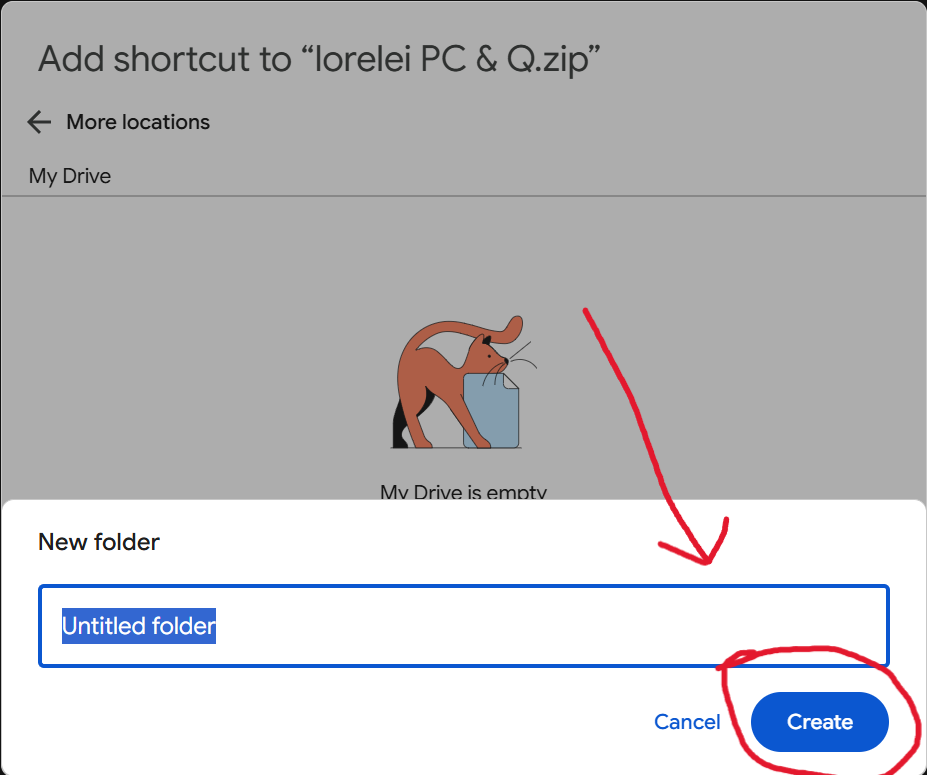
Step 6. Name and create the folder.
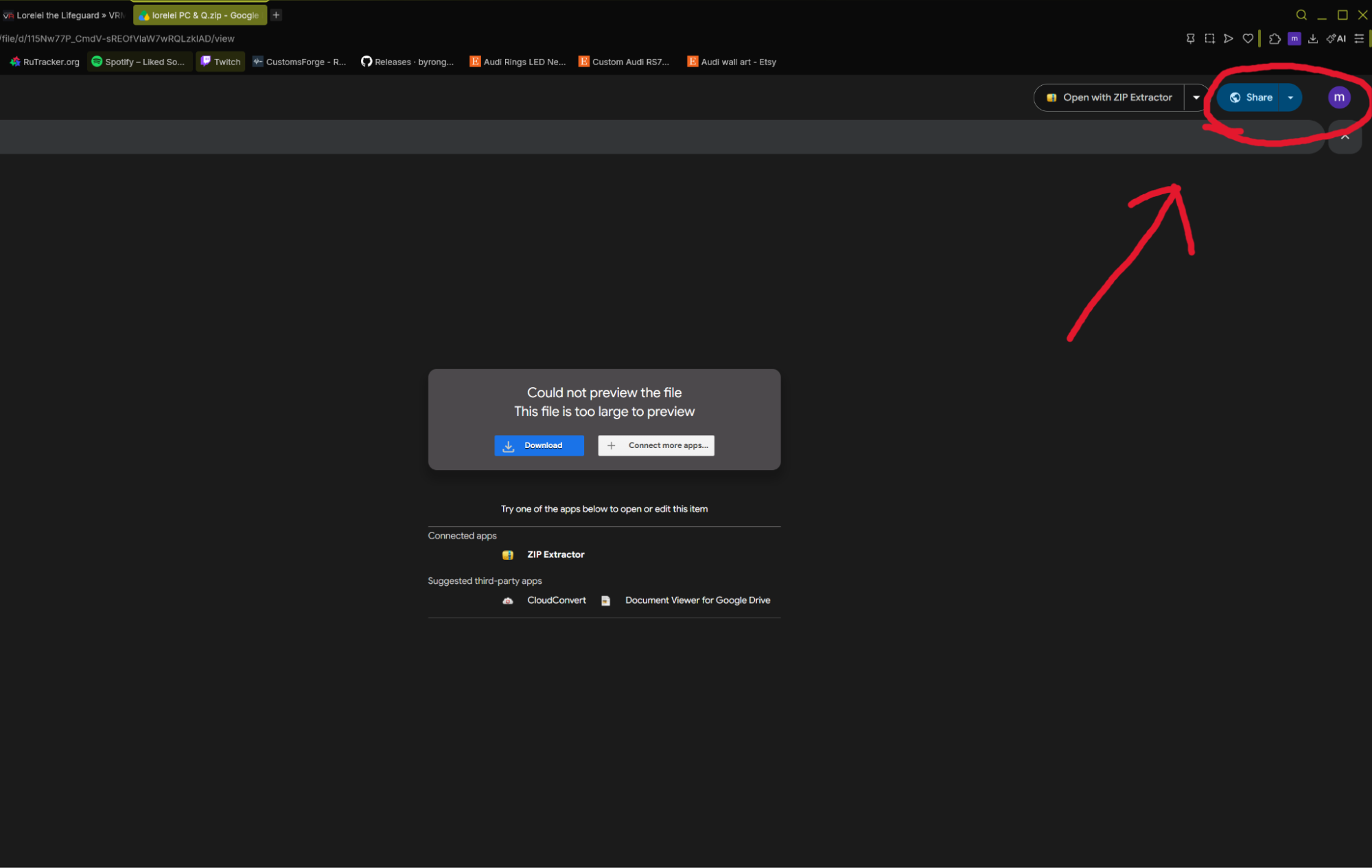
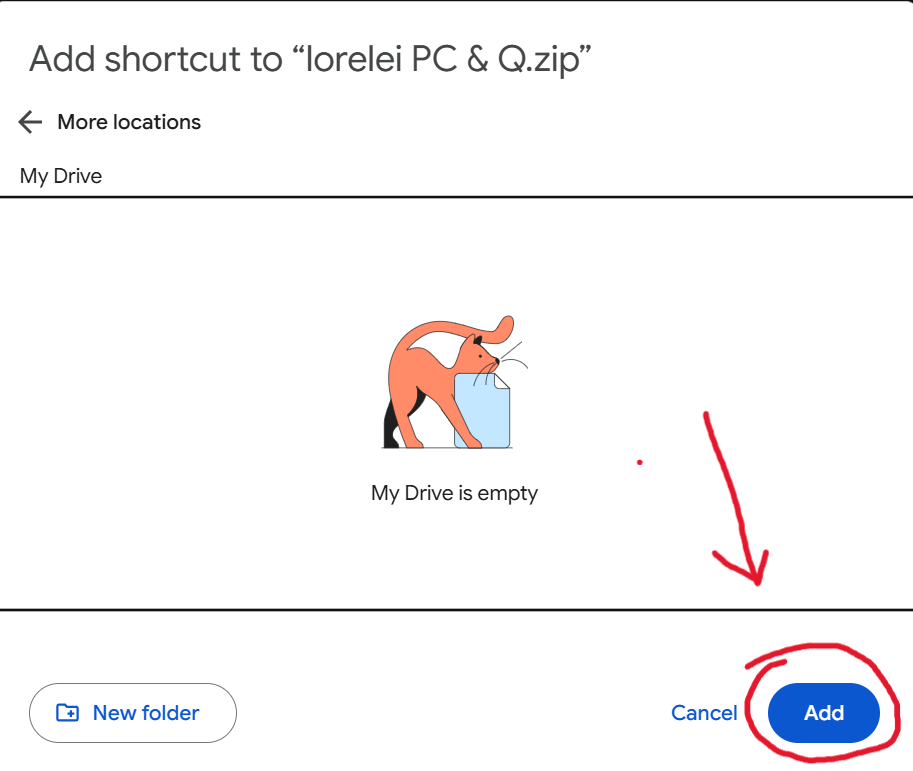
Step 7. Press add.
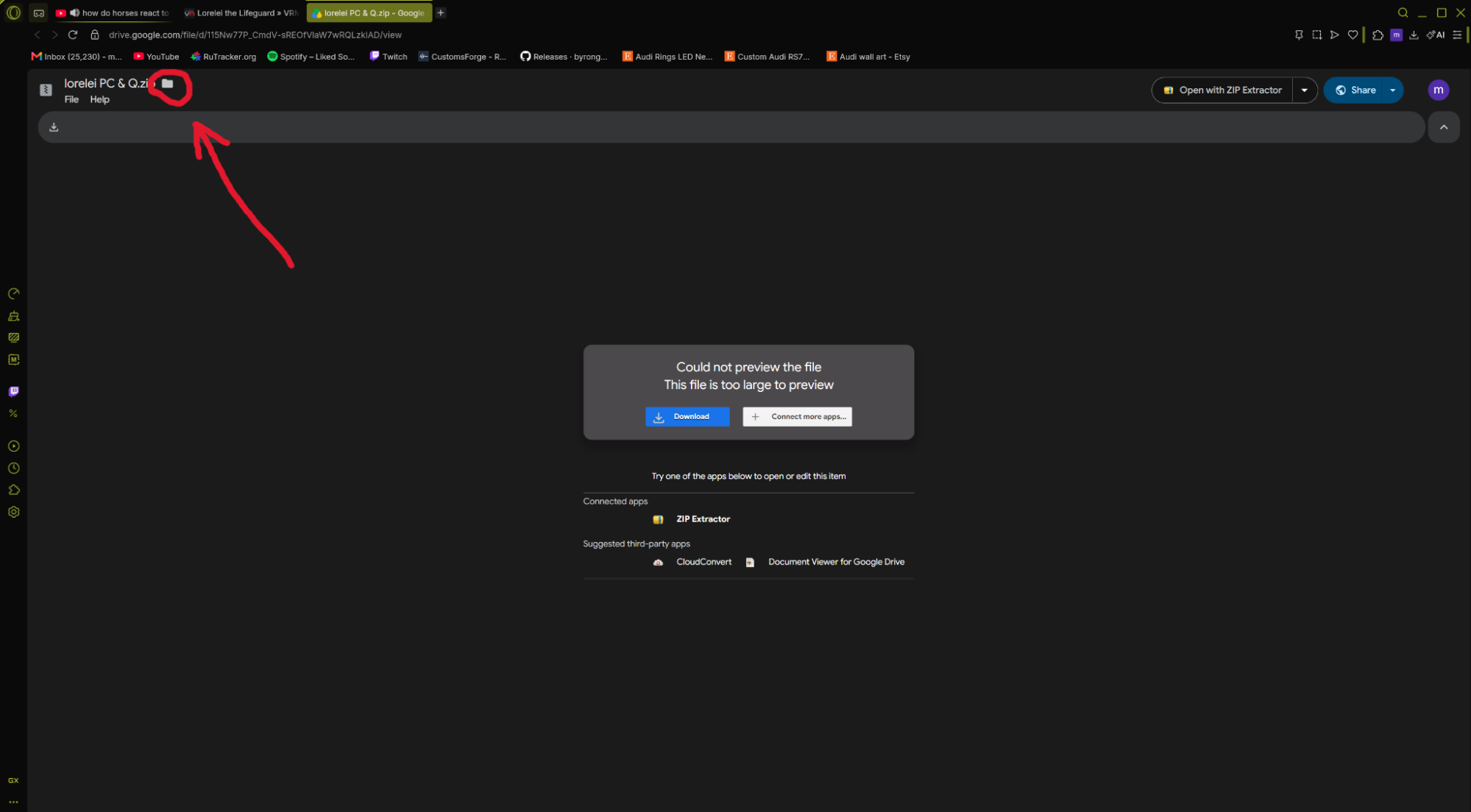
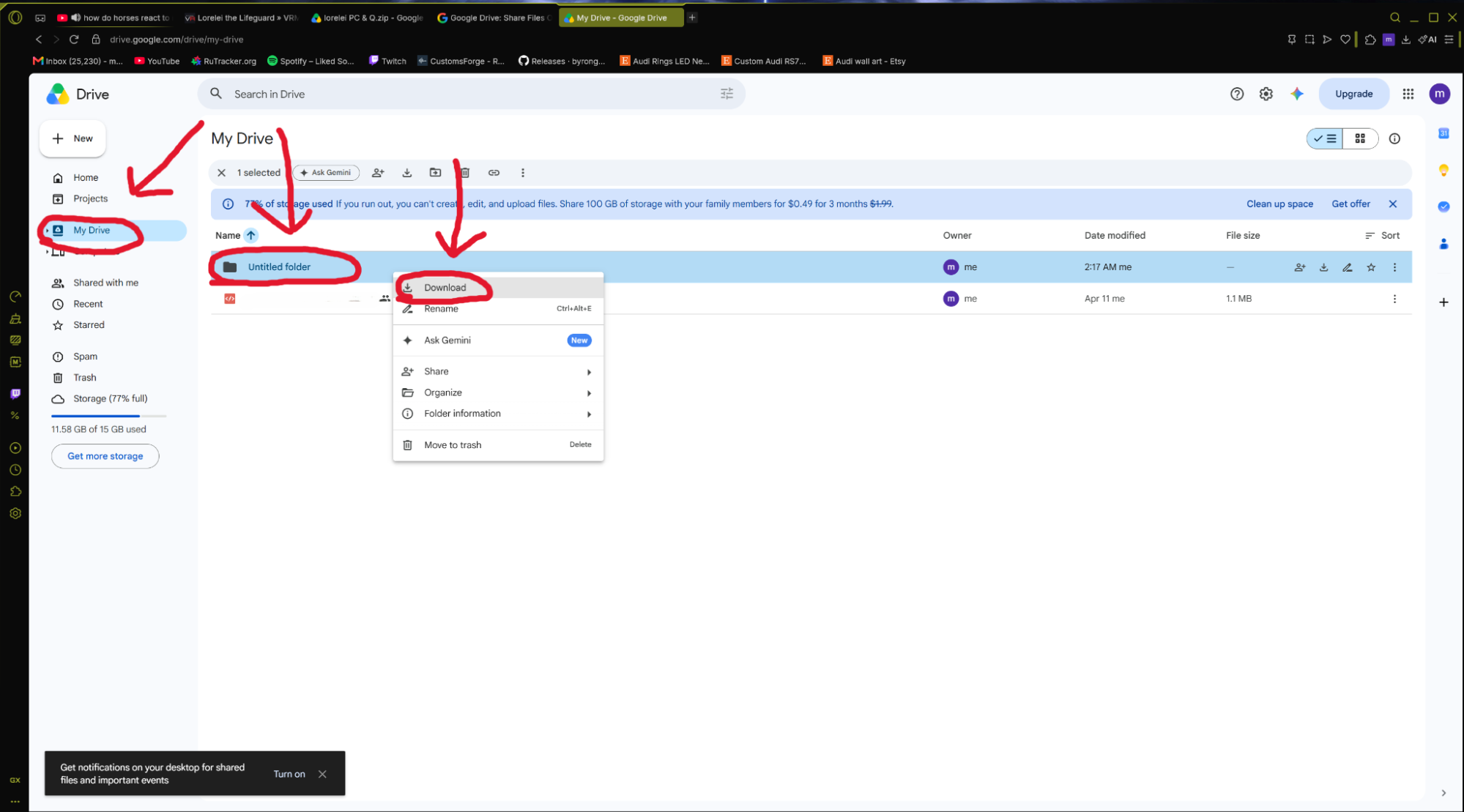
Step 8. Go to the website https://drive.google.com/drive/home
Step 9. Go to My Drive, go to the folder you created, right click on the folder and hit download and wait for it. It has to be on the folder you created, not inside it.